
Create you own key pair
This tutorial is for Gpg4win 4.0.3. For new versions this process may differ.
under construction
If you want to start with encryption it is necessary to create your own pair of keys so that you have a private and a public key. Sometimes they are also called "certificates" which is a term coming from the encryption via S/MIME. For many users (and especially those who are unsure) encryption via OpenPGP is the right way. Since Gpg4win/Kleopatra can handle both the certificates and the keys are called certificates in the program.
Create the key pair
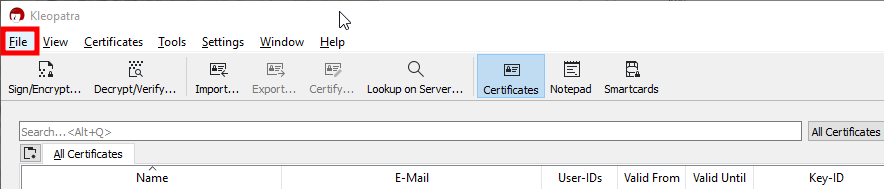
- Click on File in the menu bar
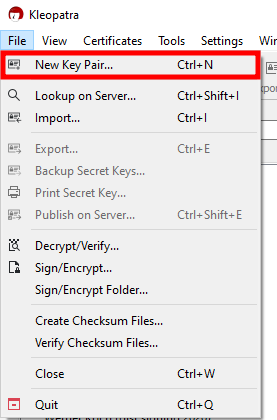
- Click on New Key Pair... in the menu
- Click on Create a personal OpenPGP key pair
![[ATTACH]](/moin_static1911/gnupg-org-wiki-theme/img/attach.png "[ATTACH]")
- In the next window enter you name and the email address the new keys will belong to and click on Create
![[ATTACH]](/Gpg4win/Tutorials/KeyPairCreation?action=AttachFile&do=upload_form&ticket=0069ccf322.f07499c92815de26d088e1ac148159f725ca9111&target=choose_key_type.png "[ATTACH]")